

- cross-posted to:
- linux@programming.dev
- cross-posted to:
- linux@programming.dev
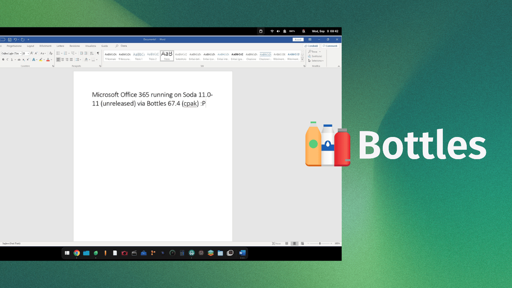
Mirko Brombin, the creator of Bottles, has got Microsoft 365 running on Linux. His posts on X showcase an installation that completes on a Windows 10 or 11 Wine prefix, signs in with his existing license, and launches at least one editor.
He achieved this using two things, an unreleased version of Soda and Bottles 67.4. If you remember, Soda is a Wine-based runner that facilitates easy running of Windows games and applications.
On first glance, what he posted might look like a developer-focused log, but these changes are the foundation of what full Microsoft 365 support via Bottles will one day hopefully look like.
The results of his work
Mirko was able to login into the MS 365 app using his credentials and was able to launch MS Word and use it. Of course that’s not the only thing he got working; since two-factor authentication passed, the suite detected his license, and OneDrive integration was functional.
The memory footprint of the office suite was less than 500MB, so this should be light on your Linux system.
The build he is currently testing is 2608 (20326.20144), which he says is the last build the installer will offer for Windows 10 and 11. And before you get all hyped up, wanting to try this out on your computer, know that you will have to wait.
Soda 11.0-11 (error 404 for now) has no release yet, and the component catalog that ships with Bottles 67.4 stops at Soda 11.0-10. Even the long-standing community request for a Microsoft Office installer in Bottles is still open.
Do we need Microsoft 365 on Linux?
Till date, there’s not been an official Linux desktop build of Microsoft 365, and seeing how Microsoft currently operates, I don’t expect one to appear anytime soon.
What’s been achieved here is remarkable. Once fully implemented, this will help draw in people into Linux, as many shudder at the thought of switching to the platform because their preferred office suite doesn’t work here.
For context, CodeWeavers sells a paid Wine product, CrossOver, and its database still lists Microsoft Office 365 on Linux as “Installs, Will Not Run,” last tested against CrossOver 26.3.0.
Which is why I hope the fix travels further than Bottles. Wine sits beneath every one of these projects, including Soda. So a patch that lands upstream reaches all of them at once, and you would not need a particular runner to get Office working.
Why would anyone want to run Office 365 on Linux?
Work or school
If your job doesn’t provide you with a company issued computer, you should try to find another job. My wife works remotely, and her employer didn’t give her a computer, so she uses her own laptop and I find that egregious.
I use my own Windows machine, because they’re ubiquitous, but my employer pays the periodic Apple ransom for iOS application publishing to purchase a Mac for my work, because I refuse to buy Apple hardware anymore. Apple decides when you’re done developing iOS apps with the hardware you buy from them, not you.
My company issued me a computer with Windows just fine. Except for Office 365, everything else I do is much better to have Linux native on it. So they are perfectly content to help me run Windows, I still don’t want to run windows.
I was expecting you to say just use it in a browser, which actually I do 99.5% of the time. However, just last week I had to boot into Windows because of being forced to work a powerpoint presentation in ways the online powerpoint simply won’t touch. Similarly, I’ve heard people speak the same of Excel, but I haven’t experienced that one personally.
Incidentally, booting into that Windows install, the updates took about 6 hours before it was happy. Between Microsoft and my work’s endpoint management, it’s a nightmare to try to maintain the work Windows load. I had a similarly neglected Linux laptop and it took about 30 minutes to chew through an even larger window of updates.
All they said was work or school, they didn’t say anything about it being for personal computers. Getting things like this working makes a business using Linux for their work machines even more viable than it already is.