The best general resource for instructions on how to unlock your phone’s bootloader and flash alternate AOSP ROM’s or non-Android OS’s is https://xdaforums.com/
Please note that not all carriers and oem’s allow you to unlock the bootloader though, so choose your device carefully for this.
You will also most likely need a PC (desktop or laptop) with adb & fastboot on it. These are apps used in the terminal, but you only need to copy and paste a few commands into them to use it.
In order to load a custom OS you first must be able to unlock the bootloader ofthe device. The list of OEMs allowing that is sadly getting smaller and smaller and vendors are becoming actively hostile towards custom firmware development.
see: https://github.com/zenfyrdev/bootloader-unlock-wall-of-shame


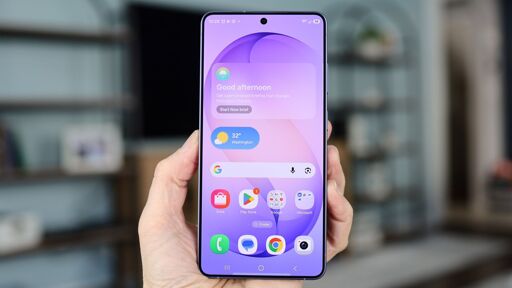
The best general resource for instructions on how to unlock your phone’s bootloader and flash alternate AOSP ROM’s or non-Android OS’s is https://xdaforums.com/
Please note that not all carriers and oem’s allow you to unlock the bootloader though, so choose your device carefully for this.
You will also most likely need a PC (desktop or laptop) with adb & fastboot on it. These are apps used in the terminal, but you only need to copy and paste a few commands into them to use it.
If you have a Google Pixel then best option is Graphene - https://grapheneos.org/
For other devices you can use a “degoogled” Android ROM and get apps from the open source F-Droid app store - https://f-droid.org/
Some choices for this are:
Lineage - https://lineageos.org/
crDroid - https://crdroid.net/
/e/os - https://e.foundation/e-os/
Iode - https://iode.tech/iodeos/
OR use a a true alternative mobile OS. Options for this are:
Ubuntu Touch - https://www.ubuntu-touch.io/
Sailfish OS - https://sailfishos.org/
Mobian - https://mobian-project.org/
Postmarket OS - https://postmarketos.org/
Plasma Mobile - https://plasma-mobile.org/
Droidian - https://droidian.org/
You can also purchase devices with alternative OS’s already preinstalled from:
Volla - https://volla.online/en/devices/
Jolla - https://jolla.com/
Fairphone - https://fairphone.com/
Murena - https://murena.com/
Furilabs - https://furilabs.com/
Brax - https://www.braxtech.net/
In order to load a custom OS you first must be able to unlock the bootloader ofthe device. The list of OEMs allowing that is sadly getting smaller and smaller and vendors are becoming actively hostile towards custom firmware development.
see: https://github.com/zenfyrdev/bootloader-unlock-wall-of-shame